YEM Content Explorer 2.2.0
Current Version: 2.2.0
About YEM Content Explorer
YEM Content Explorer is a specialized utility designed for Yamaha keyboard enthusiasts who work with Yamaha Expansion Manager. Originally created to extract voice information from PPF files including names, MSB, LSB, and PC parameters for use with Style Magic YA or Midi Works YA, the application has evolved significantly based on user feedback.
Key Capabilities
- Export voice parameters for various software formats including MixMaster, EMC Style Factory, and Steinberg Cubase
- Manage multiple YEM installations with the Multi YEM Manager
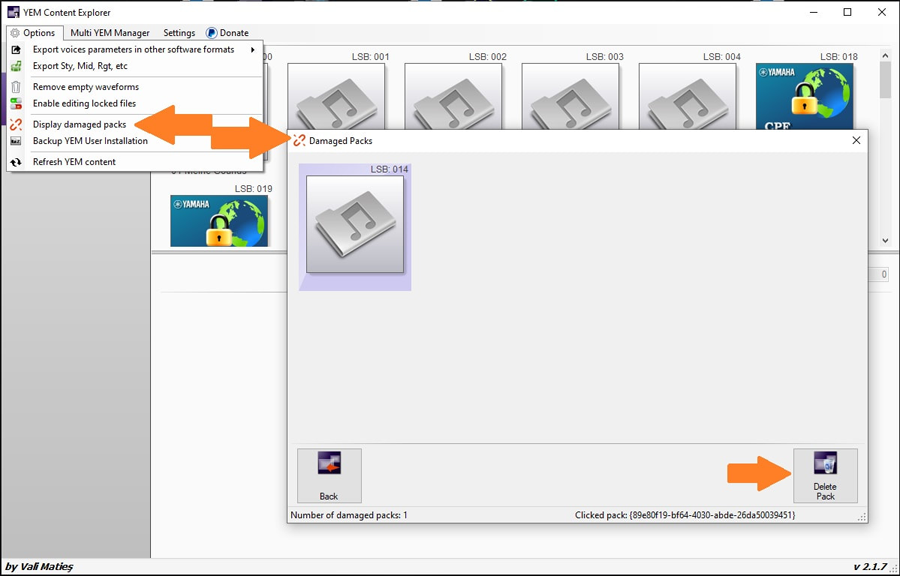
- Identify and remove damaged expansion packs
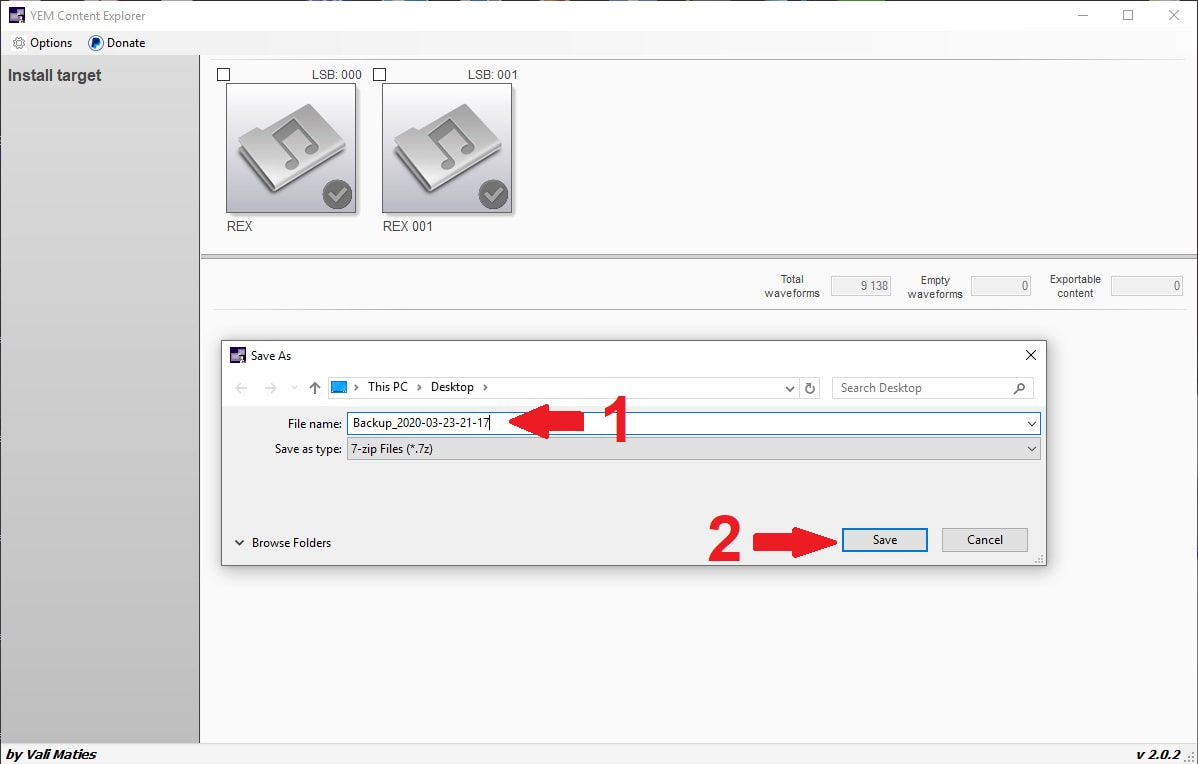
- Back up your expansion content using 7-zip compression
- Enable editing of normally restricted voices
- Remove unnecessary empty waveforms to optimize storage
- Export individual content elements like styles, MIDI files, and registration banks
Feature Highlights
Multi YEM Manager
Create and manage multiple Yamaha Expansion Manager installations for different keyboard setups and user profiles.
Export Flexibility
Export voice parameters for various software formats including MixMaster, EMC Style Factory, and Steinberg Cubase.
Content Management
Identify damaged packs, remove empty waveforms, and selectively export content elements.
Backup Solutions
Create compressed backups of your expansion content with optional cancellation during the process.
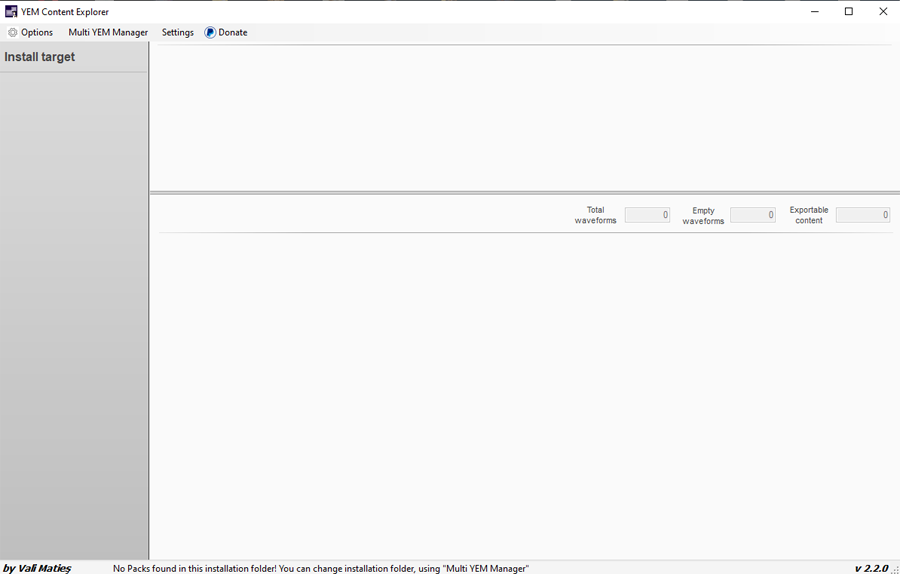
Application Interface
Version History
Version 2.2.0
- Corrected MixMaster export file format where voice names and parameters were incorrectly positioned
- Thanks for feedback from: yakubov
Version 2.1.9
- Solved the issue of YEM installation path detection
- Fixed application behavior when Yamaha Expansion Manager was not installed or never started
- Added missing keyboard icons for Genos2, Ela-1, PSR-A5000 and PSR-SX600
- Resolved backup process errors when 7-zip is not installed
Version 2.1.8
- Fixed selection of individual items within packs for export
- Added cancel option to backup operations with automatic archive deletion
- Included new keyboard icons
- Corrected export issues with filenames containing multiple dots
- Resolved various minor bugs
Version 2.1.7
- Introduced damaged pack identification feature
- Accelerated Multi YEM Manager activation process
- Added sample count display for packs containing only samples
- Implemented voice type and category tooltips
- Resolved various minor bugs
Issues identified in this version:
- Cannot select individual content for export (styles, registration banks, pads, etc.)
- Workaround: Use the arrow button to select all content of a specific type
Version 2.1.6
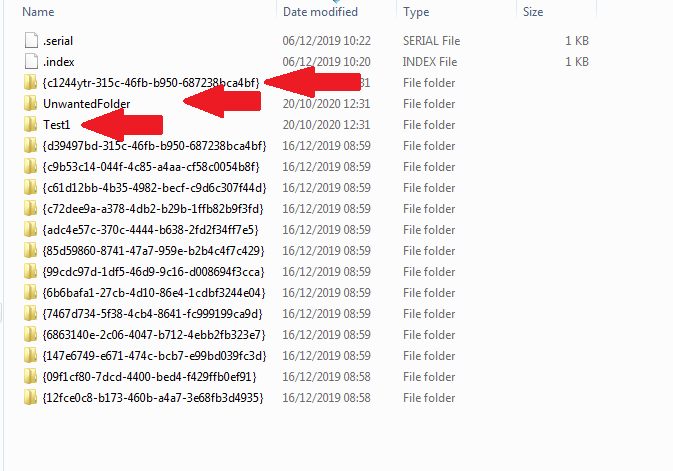
- Added automatic YEM user folder cleanup on application startup
- Automatic garbage detection in YEM installation folders
Version 2.1.5
- Fixed installation folder detection on 64-bit systems
- Corrected waveform counting in background processes
- Rebuilt keyboard icon database with dynamic switching
Version 2.1.4
- Added export functions for EMC Style Factory and Steinberg Cubase
- Reorganized export menus into consolidated format
- Implemented PC number range option (000-127 or 001-128)
- MixMaster export files now include pack name comments
After exporting for Cubase, manually install the file in Cubase local folder: "%appdata%\Steinberg\
Version 2.1.3
- Completely resolved bugs from previous versions with new approach
- Fixed application crash when installation target wasn't selected in YEM
Version 2.1.2
- Fixed TAB character removal issues in file saving after voice edit enabling
Version 2.1.1
- Added voice editing enablement for normally restricted voices
- Fixed automatic update checking functionality
Version 2.1.0
- Introduced Multi YEM Manager for multiple installation management
- Enabled creation of separate YEM instances for different user configurations
Version 2.0.2
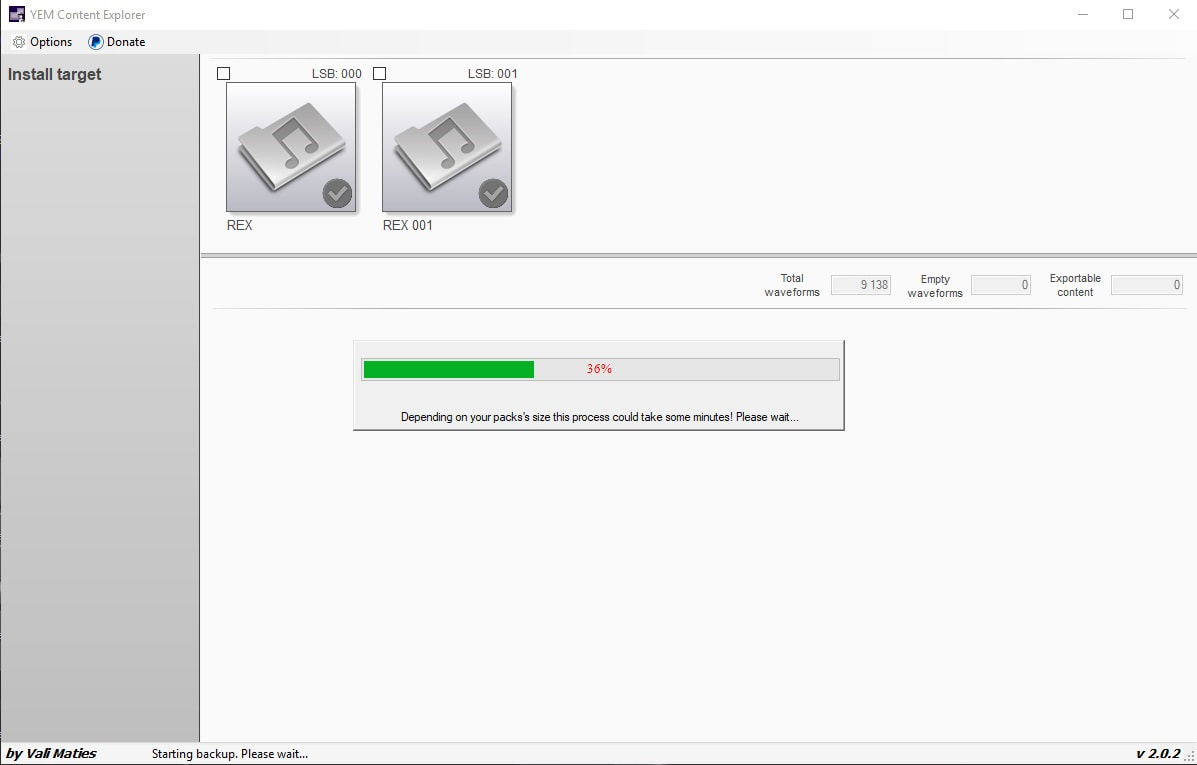
- Implemented backup process using 7-zip software
Version 2.0.1
- Fixed bugs in empty waveforms removal process
Version 2.0.0
- Complete interface redesign to match Yamaha Expansion Manager appearance
- Added empty waveforms removal to reduce parameter size
- Enabled editing of disabled banks in certain voice types
- Improved content selection with single-click checkbox functionality
- Implemented automatic update checking on application startup
If you modify content in YEM, close YEM before refreshing in YEM Content Explorer to avoid file access conflicts.
Version 1.0
- Initial release with basic export functionality
- Obsolete due to programming language limitations for new development
Usage Recommendations
For optimal performance, close Yamaha Expansion Manager before refreshing content in YEM Content Explorer. YEM maintains exclusive control over its internal files, which may cause access conflicts if both applications are running simultaneously.