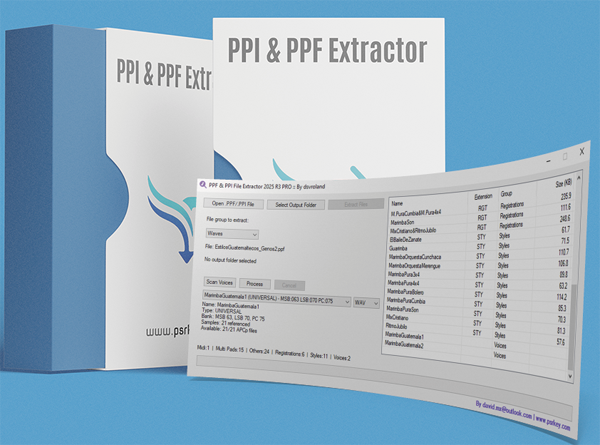
Download PPF and PPI File Extractor
Lite Version (2025 R3)
YExtractor LT 2025 R3
▶ Download YExtractor_LT_2025_R3.zip ◀
Lightweight version with essential extraction features
Free utility for Windows users
What is the PPF and PPI File Extractor?
The PPF and PPI File Extractor is a specialized Windows application designed to extract various file types from Yamaha Expansion Manager packages. These packages, saved as .PPF or .PPI files, contain bundled content such as voices, styles, registrations, and other resources for Yamaha keyboards.
Features:
- Extract individual files from PPF and PPI package files
- Group extracted files by type (Styles, Voices, Registrations, etc.)
- Optimized for speed with responsive interface during extraction
- Handle large package files efficiently
- Extract WAV files and create SF2 soundfont files
- Simple, intuitive interface requiring no technical expertise
Whether you need to access specific voices from an expansion pack, extract styles for customization, or recover WAV samples for soundfont creation, this tool provides a straightforward solution for working with Yamaha Expansion Manager packages.
Application Interfaces
Lite Version Interface
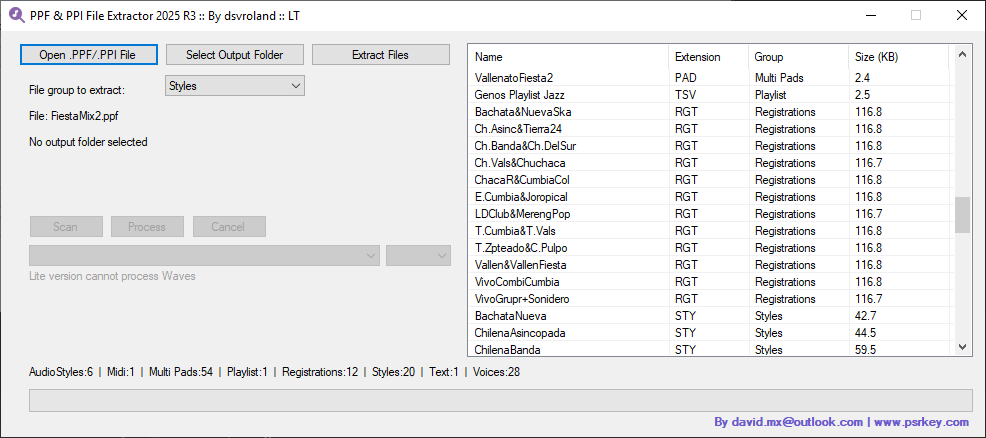
The streamlined Lite version with essential extraction features in a compact interface.
How to Use the PPF and PPI File Extractor
Step 1: Open a PPF/PPI File
Launch the application and click the "Open .PPF/.PPI file" button. Navigate to and select your PPF or PPI file from your computer. These files are typically created by Yamaha Expansion Manager when packaging expansion content for keyboards.
Step 2: Select Output Folder
Click the "Select output folder" button to choose the destination directory where you want the extracted files to be saved. Select an organized location where you typically store your keyboard resources.
Step 3: Choose File Group
Use the dropdown menu to select the specific type of files you want to extract. Options typically include:
- Styles (.STY files)
- Voices (voice data files)
- Registrations (.RGT files)
- Multi Pads (.MPD files)
- WAV Samples (audio samples)
- All Files (extract everything)
Step 4: Extract Files
Click the "Extract Files" button to begin the extraction process. The progress bar will display the current status while maintaining a responsive interface, even with large package files. The application efficiently handles the extraction without freezing.
Step 5: Completion
When the extraction is complete, a confirmation message will display showing how many files were successfully extracted. The extracted files will be organized in subfolders within your chosen output directory, grouped by file type for easy access and organization.
Advanced: Extract WAV Files and Create SF2 Soundfonts
For users interested in sound design, the PPF and PPI File Extractor can also extract WAV samples from expansion packs and help create SF2 soundfont files for use in various music software and samplers.
Watch this tutorial video to learn how to extract WAV files from Yamaha PPF/PPI packages and convert them into SF2 soundfont format for use in your music production workflow.
Related Resources
Enhance your Yamaha keyboard experience with these additional tools and resources:
- Style Dump Utility - Comprehensive style management and conversion tool
- Utilities by Jorgen Sorensen - Additional expansion content management tools
- Registration Manager Download - Yamaha Registration Manager (YRM) for organizing performances
- Premium Expansion Packs - High-quality expansion content for Yamaha arrangers
- David Sebastian's Tools Collection - All utilities by this developer